
Images And Attachments
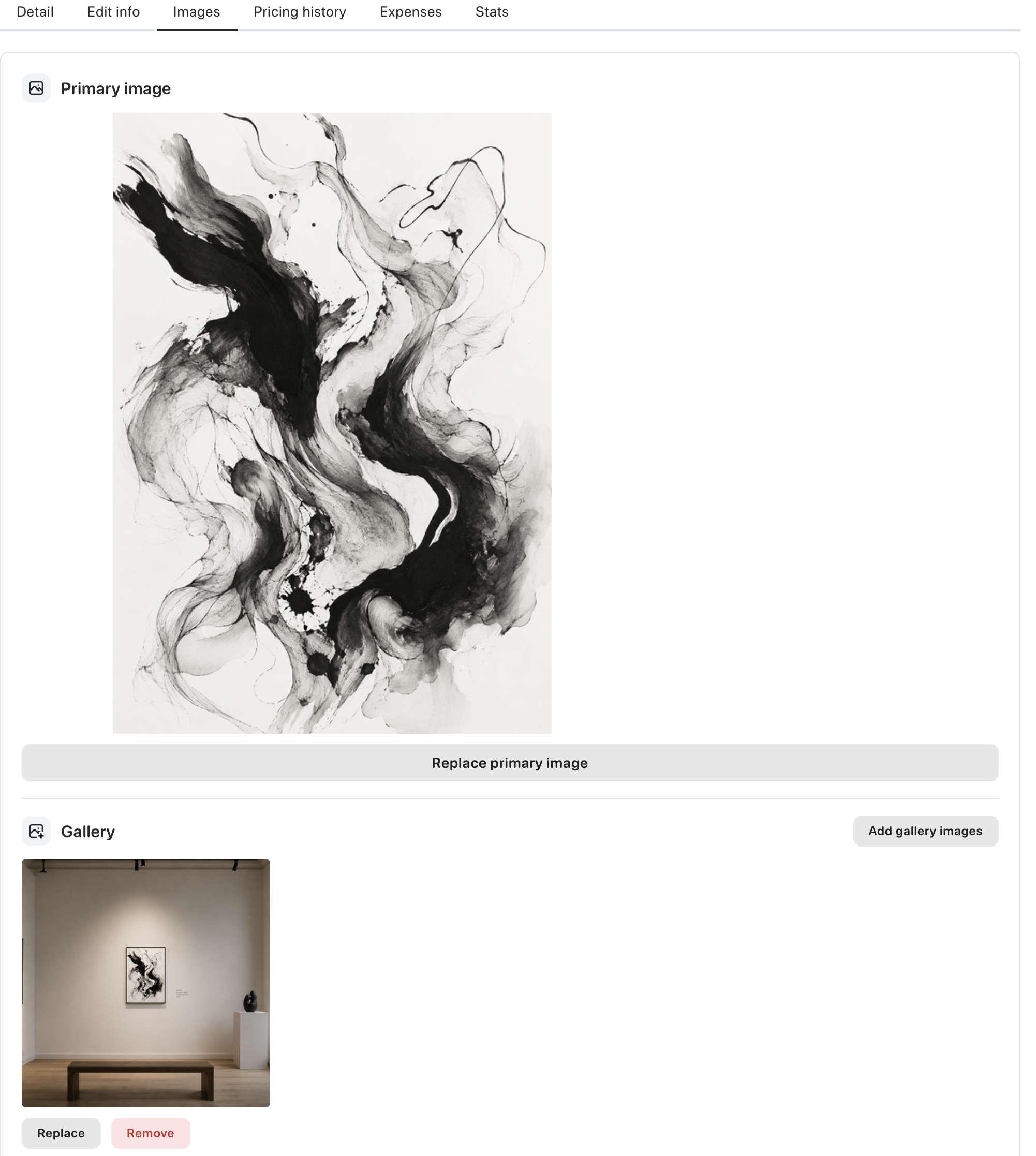
You can add images by dragging them onto the artwork page.
If the artwork does not have an image yet, the first uploaded image becomes the primary image automatically.
You can also open the Images tab and use:
Replace primary imageAdd gallery image
Gallery images are useful for detail shots, framed views, or work-in-progress photos.
Supported image formats are JPG, JPEG, PNG, GIF, WebP, and AVIF. HEIC and HEIF images are converted to JPEG before upload.
Image notes and descriptions
Section titled “Image notes and descriptions”Use Edit next to a gallery image to add two kinds of text:
Internal noteis private to you and is never shared with exhibition collaborators.Public image descriptionis shown with the image on your website when gallery images are enabled in Website settings.
The text appears below the image in the Images tab and in the artwork details view. Leave either field empty when you do not need it.
Attachments
Section titled “Attachments”Attachments work in a similar way.
You can drag files onto the artwork page, or click Add attachments.
Supported file types are:
- TXT
- RTF
- DOC
- DOCX
Images can be up to 3 MB per file. Attachments can be up to 10 MB per file.
If an image is too large, Artlope can offer to reduce its size before upload.
During the beta phase, storage is currently limited to 20 GB per user for images and attachments. If you need more, reach out to [email protected].